Managing stVaults via the Web UI
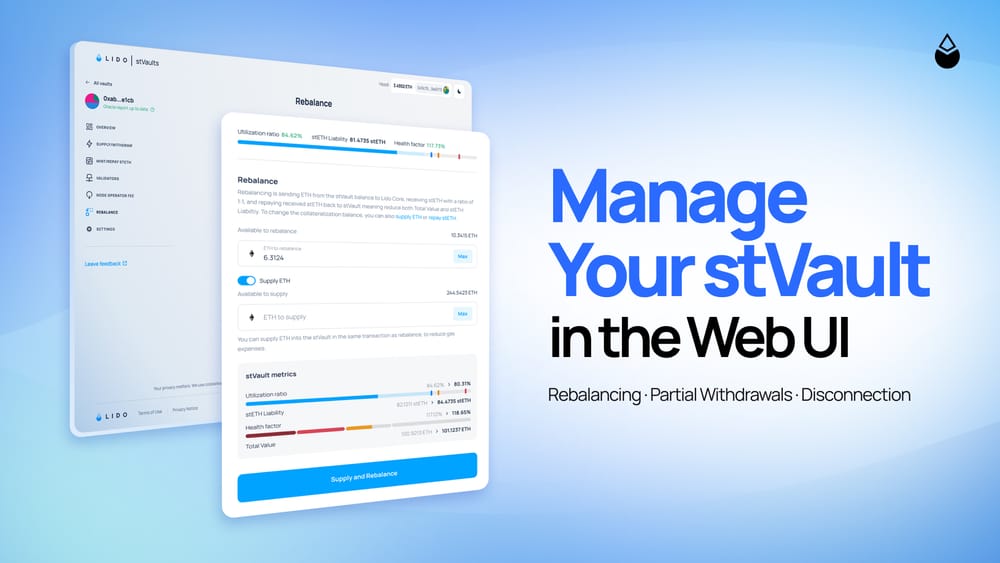
stVaults are Lido protocol’s modular staking infrastructure for building custom staking solutions, with optional stETH minting for liquidity and DeFi integrations.
The Vault Owner can choose the Node Operator to run the validators and set the configuration, while the ETH remains in the owner’s custody.
Managing a vault through a command line or a direct contract call introduces an additional technical step between the people responsible for the position and the position itself. Latest upgrades make the same operations available via the Web UI, so Vault Owners can run them from the custody account following the same approval workflow as any other transaction, under the same onchain permissions that apply to a direct contract call.
Via the stVaults Web UI, a Vault Owner can withdraw ETH from a validator without exiting it, clear the vault’s stETH liability against the vault’s own balance, and disconnect from Lido infrastructure entirely.
Rebalancing
stVaults allow Vault Owners to mint stETH against the vault’s staked ETH and use that liquidity for redemptions or for DeFi integrations.
The vault carries a stETH Liability equal to the minted amount. There are two ways to settle it: rebalancing, or repaying with stETH.
Rebalancing transfers ETH from the vault to Lido Core and reduces that liability at a 1:1 ratio. For example, settling 400 stETH uses 400 ETH from the vault, reducing both the outstanding liability and the vault’s Total Value.
The alternative is to repay with stETH sourced outside the vault. That preserves the vault’s ETH balance but requires funding the stETH separately. Rebalancing avoids sourcing stETH at all, which makes it the route when no new client ETH is coming in or the liability has to be cleared immediately.
Rebalancing in the stVaults Web UI:
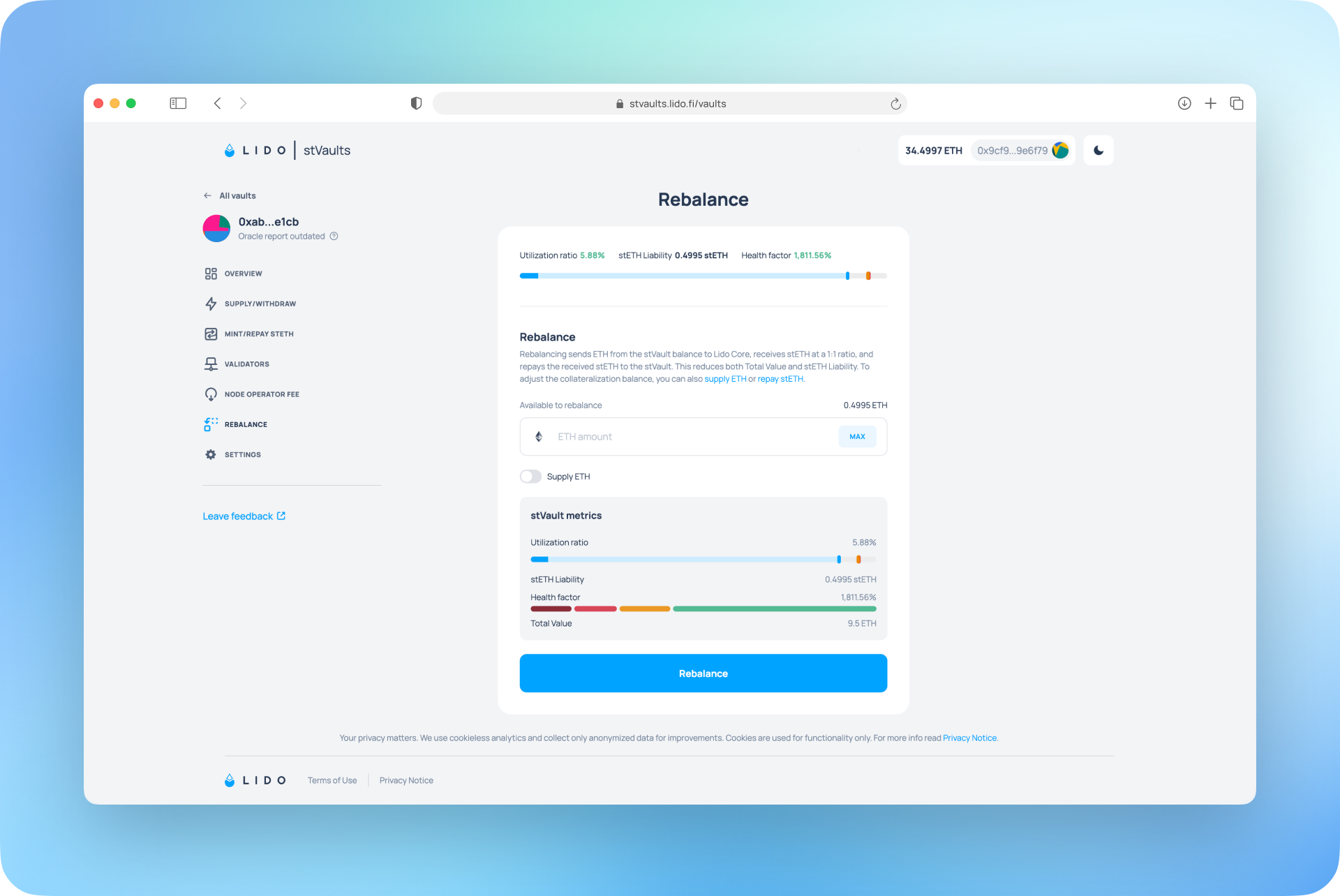
Rebalancing needs ETH on the stVault Balance, not in validators. See the rebalancing guide for more details.
Partial Validator Withdrawals
If the ETH needed for a rebalance is still staked, a partial withdrawal can bring it back to the vault without exiting the validator. The validator keeps at least 32 ETH and continues validating with the remaining balance.
That matters beyond the withdrawal itself: the remaining ETH keeps earning, and when new deposits arrive the same validator can be topped up again without activating a new one.
The owner triggers a partial withdrawal through the Web UI.
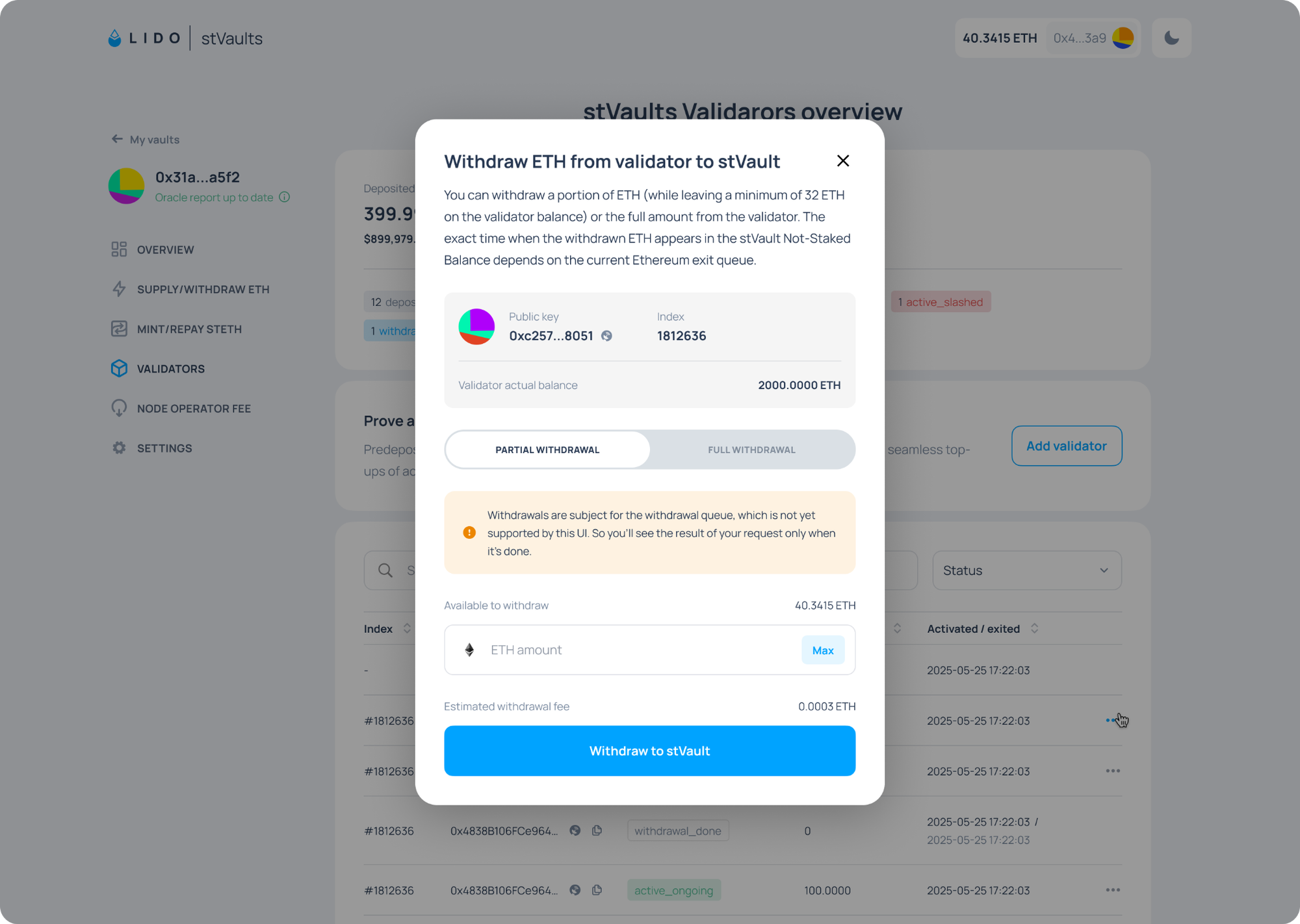
A variable network fee applies, and the withdrawn ETH lands on the vault balance once the Ethereum exit queue processes it. It can then be used for rebalancing, which clears the liability.
Partial withdrawals remain subject to the vault’s status and obligations; see the validator operations guide for more details.
Disconnection
A Vault Owner can decide to stop using Lido infrastructure and disconnect the vault at any moment. Validators keep running and earning rewards, while Lido-provided accounting, liquidity by stETH, and fee mechanisms get disabled, which stops Lido fee accrual.
Disconnection can be initiated once the vault has no stETH liability left and its balance covers outstanding fees. It is finalized by the next oracle report, so the vault sits in a pending state for up to a day with minting and withdrawals paused. The owner then takes direct ownership of the vault and can withdraw the connection deposit, 1 ETH by default, together with any remaining balance.
To initiate a disconnection of the vault via the stVaults Web UI:
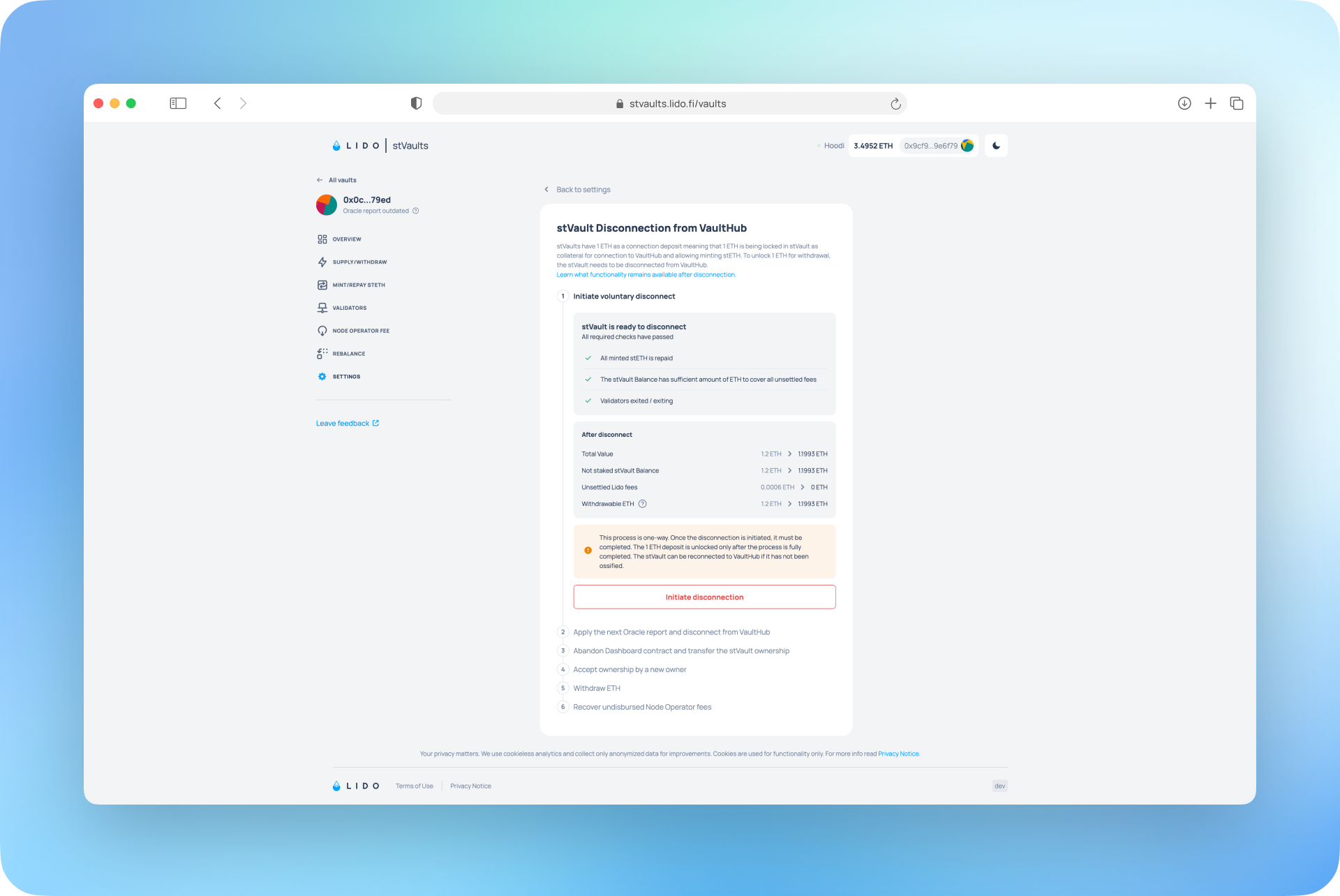
See the disconnection guide for further details.
Access Through the Institution’s Custody Setup
Using the Web UI leaves the vault's access controls unchanged. Permissions are granted by the Vault Owner and checked onchain, so they are identical whether an operation runs through the Web UI, the CLI or a direct smart contract call.
Custody accounts also need a supported dApp connection. Fireblocks, Copper and Cactus Custody have dedicated stVaults guides; the Qualified Custodians documentation covers the full list and the connection options.
Security Approach
Standard Ethereum staking risks apply; for the full breakdown, see Lido's Risk Assessment Framework for stVaults.
Using a web interface places part of the risk in the user's own environment, outside the smart contract perimeter: if a browser or device is compromised, transaction details can be altered before the user approves them, and a custody connection does not prevent it. Always check that you are on the official domain, stvaults.lido.fi, and verify transaction details before approving. Consult Lido's Terms of Use for more details.
The following measures have been implemented to support the security of Lido V3 infrastructure*:
- Smart contracts: Lido V3 stVaults smart contracts have undergone audits by Certora (including formal verification), MixBytes, Consensys Diligence, Composable Security, Ackee Blockchain, and Sigma Prime. An ongoing Immunefi bug bounty offers white hats up to $2M in rewards.
- Built-in operational controls: The stVaults’ design gives Vault Owners end-to-end control of the funds in the vault: supply/withdraw ETH, mint/repay stETH, monitor vault health parameters and metrics, trigger ETH withdrawals from validators, perform rebalancing, and disconnect from the Lido protocol.
- Interface safeguards: Web UI releases go through pre-deployment and acceptance testing. The stVaults Web UI checks vault roles, node operator verification and deposit policy; it warns about risky setups and blocks supply, repay and rebalance when the configuration could let third parties take control of deposited funds. It also shows the vault's contract addresses with block explorer links for independent verification.
* Audits, bug bounties, and operational controls are intended to reduce but do not eliminate underlying protocol or market risks. Additional risks may remain or be unidentified.
Further Reading
- Redemptions Guide
- Rebalancing Guide
- Disconnection Guide
- Validators' Control
- stVaults Roles and Permissions
- stVaults Metrics
Reach out to the Lido Institutional team to start building on stVaults.